
 Additional settings for Safari Browser.


Hex 5 Report Cards
Posted Date: 05/15/25 (08:56 AM)
Report cards are now available through PowerSchool Parent Access!
To access your student's report card, log in to PowerSchool* and click the "Student Reports" link for a printable report.
*NOTE: Grades and test scores are only available in the browser (Safari, Chrome) version of PowerSchool. We recommend accessing PowerSchool from a desktop computer or tablet. Do not use the PowerSchool app when prompted on a smartphone.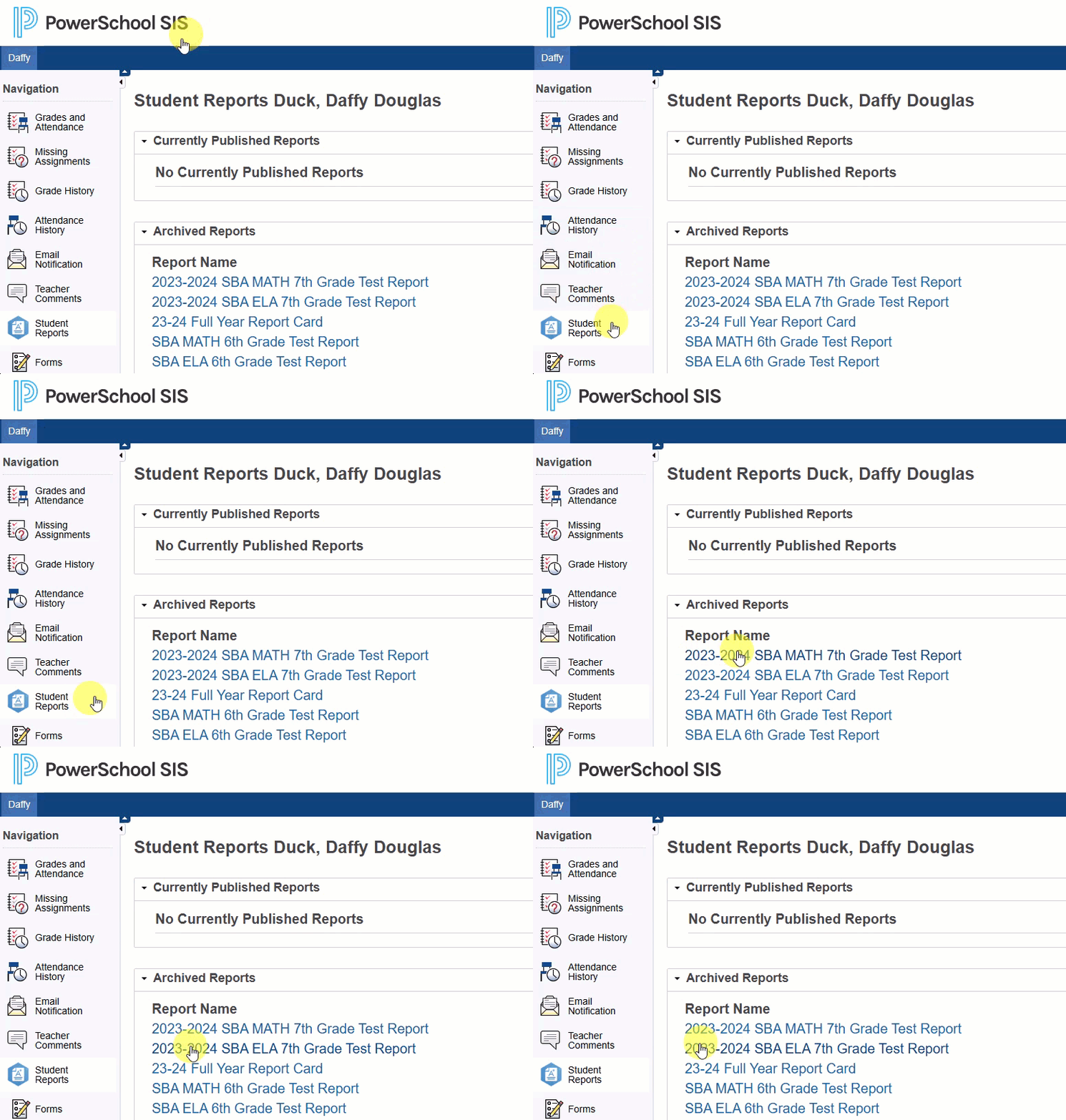
Access Your PowerSchool Account
If this is your first time logging in, the username is the email address we have on file for the custodial guardian(s) of each student. This is usually the first parent or guardian listed during online registration or returning student check-in. To request your password:
- Navigate to the PowerSchool Parent Access.
- Click the “Forgot Username or Password?” link.
- Enter your email address in both the “Parent Username” and “Parent Email” fields.
- Check your email for your password and login instructions.